IVS Office has moved to its new version: your account is safer, and everything you used before works as it did.
For everyone
Keep your account safe from the Security tab
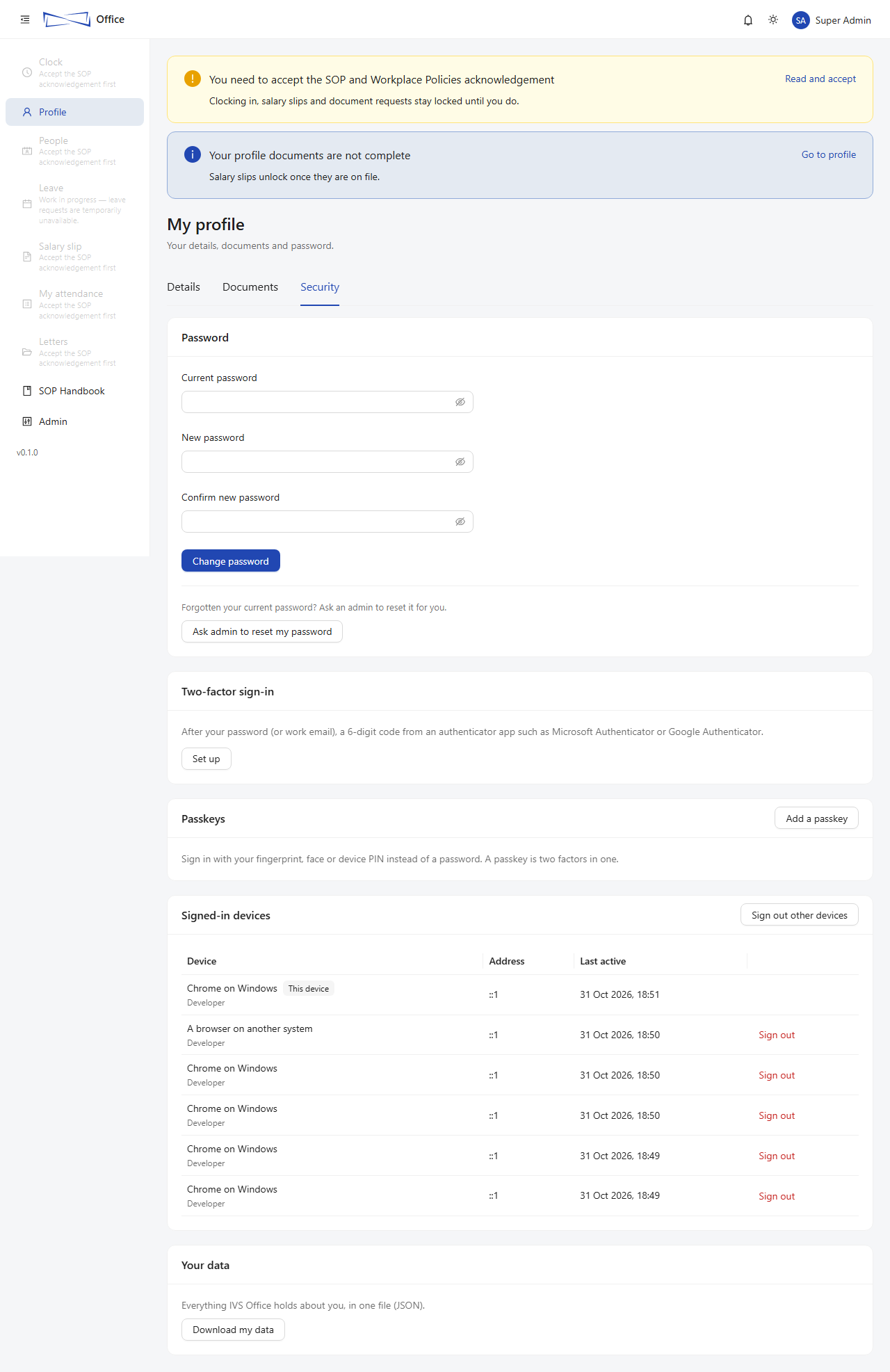
Your profile's Password tab is now called Security. Besides your password, you can turn on two-factor sign-in (a 6-digit code from an authenticator app) or add a passkey (your fingerprint, face or device PIN), see every device you are signed in on, and download what IVS Office holds about you. If someone signs in as you from a new browser, you now get a message about it.
How to use it:
- Open Profile in the side menu, then the Security tab.
- Under Two-factor sign-in, choose Set up and scan the code with your authenticator app; keep the recovery codes it shows you.
- Under Signed-in devices, choose Sign out next to any device you don't recognise, then change your password.